The Problem
The golden hour is gone
- Contested evacuation means holding casualties for hours or days. Prolonged field care is now mainstream doctrine, and the paper casualty card was never built for it.
- Documentation dies at handoff. A soaked DD Form 1380 taped to a casualty is the medical record.
- Existing tools focus on documentation. Clinical decision support, nursing care over time, and supply awareness are the gaps this tool covers.
- Multiple medics, one casualty, no shared picture. Care at a casualty collection point happens in parallel with no common record.
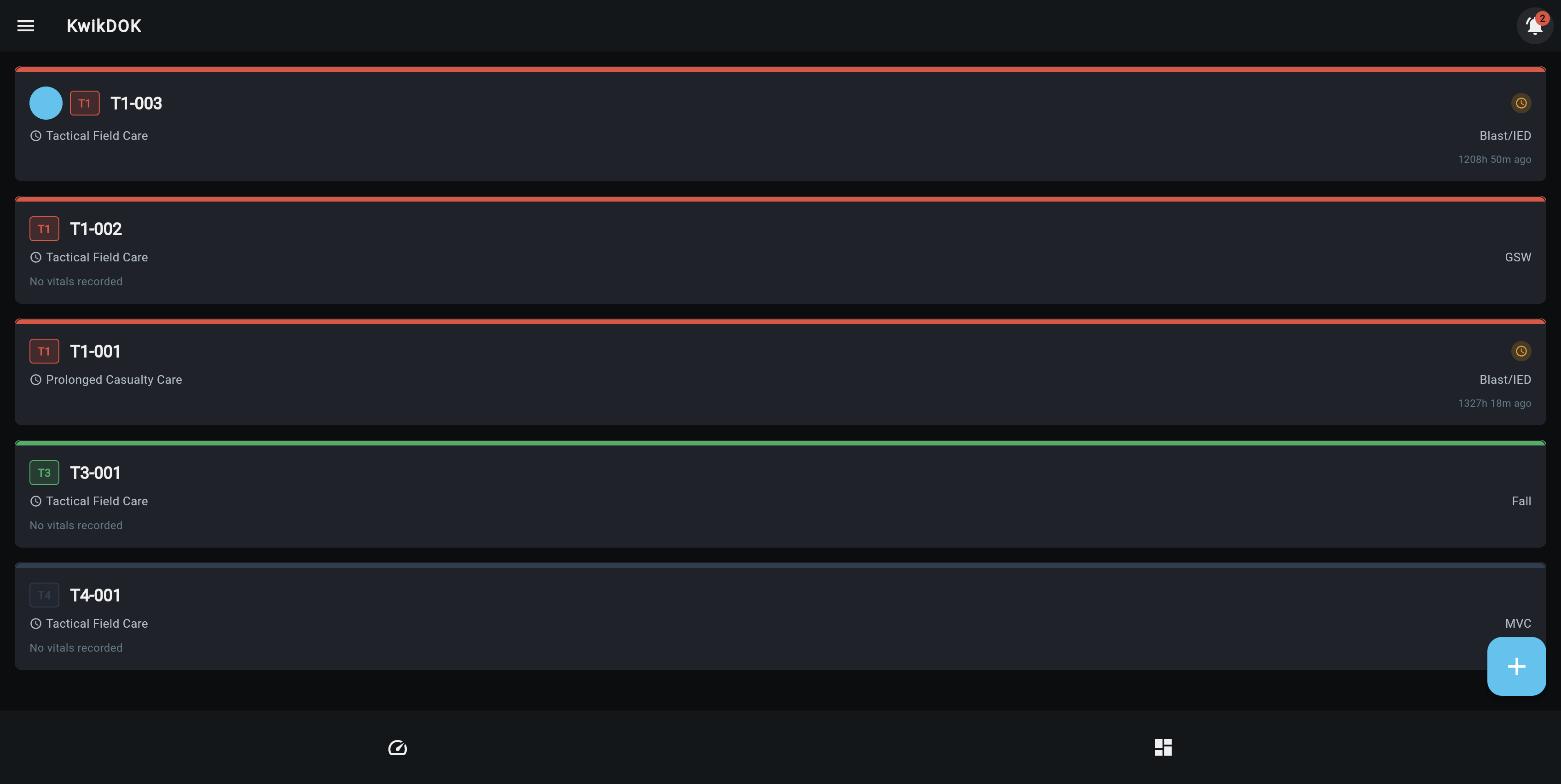
Patient board: triage-coded, phase-labeled, with time since last vitals
KwikDOKUnclassified
The Capability
An interactive DD 1380 that runs the whole timeline
- Phase-aware. Care under fire, tactical field care, evacuation, and prolonged care each get the right screen.
- Golden hour banner tracks time since injury and prompts the transition to prolonged care at 60 minutes.
- Completion dots show at a glance what is documented: mechanism, body, vitals, tourniquets, meds, inputs and outputs.
- Tourniquet timers run live from the moment one is logged.
- Evacuation precedence auto-suggested from the clinical picture, always overridable by the medic.
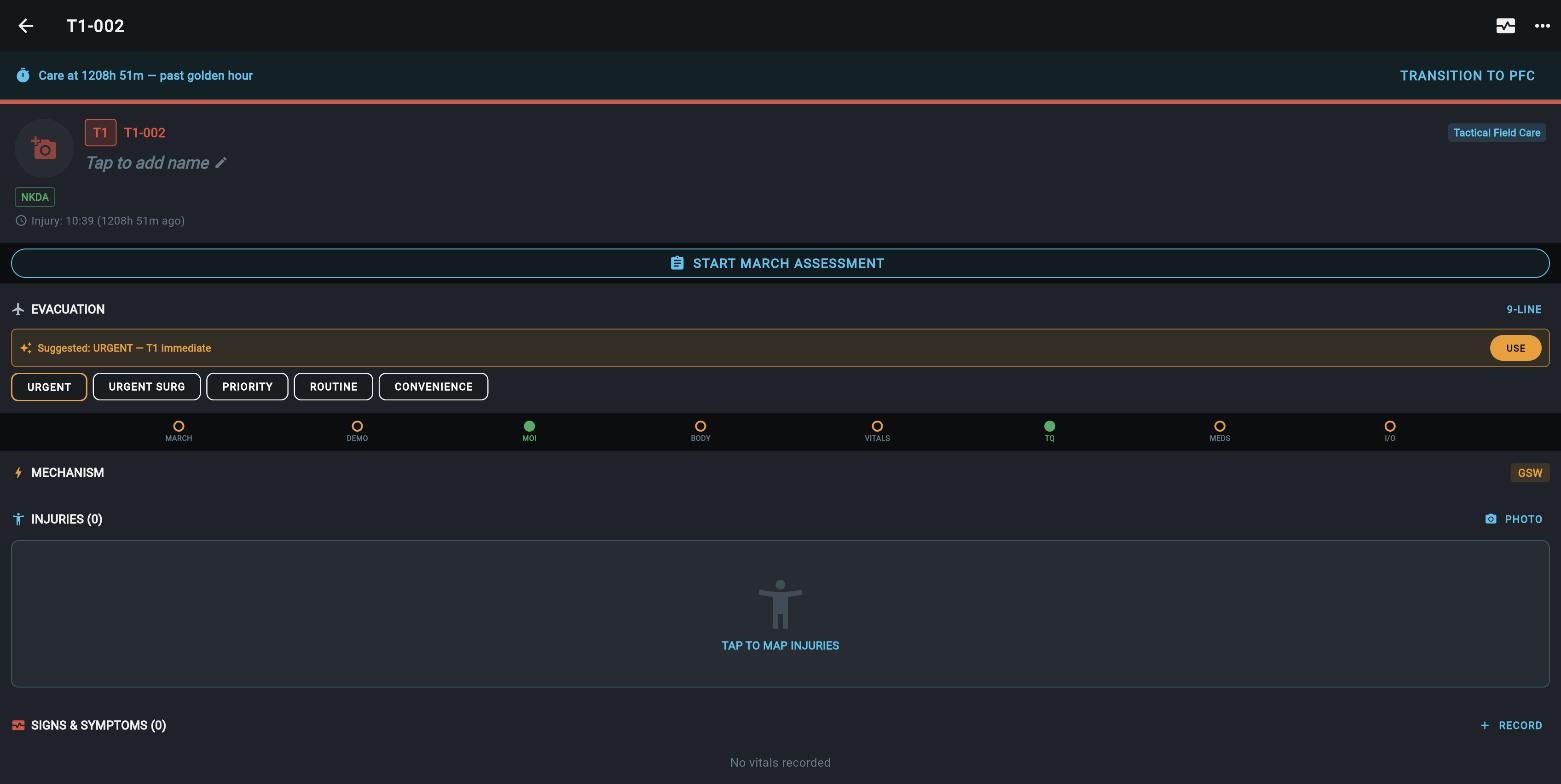
Tactical Combat Casualty Care card for a gunshot casualty, evacuation advisor suggesting urgent
KwikDOKUnclassified
Feature · Body Diagram
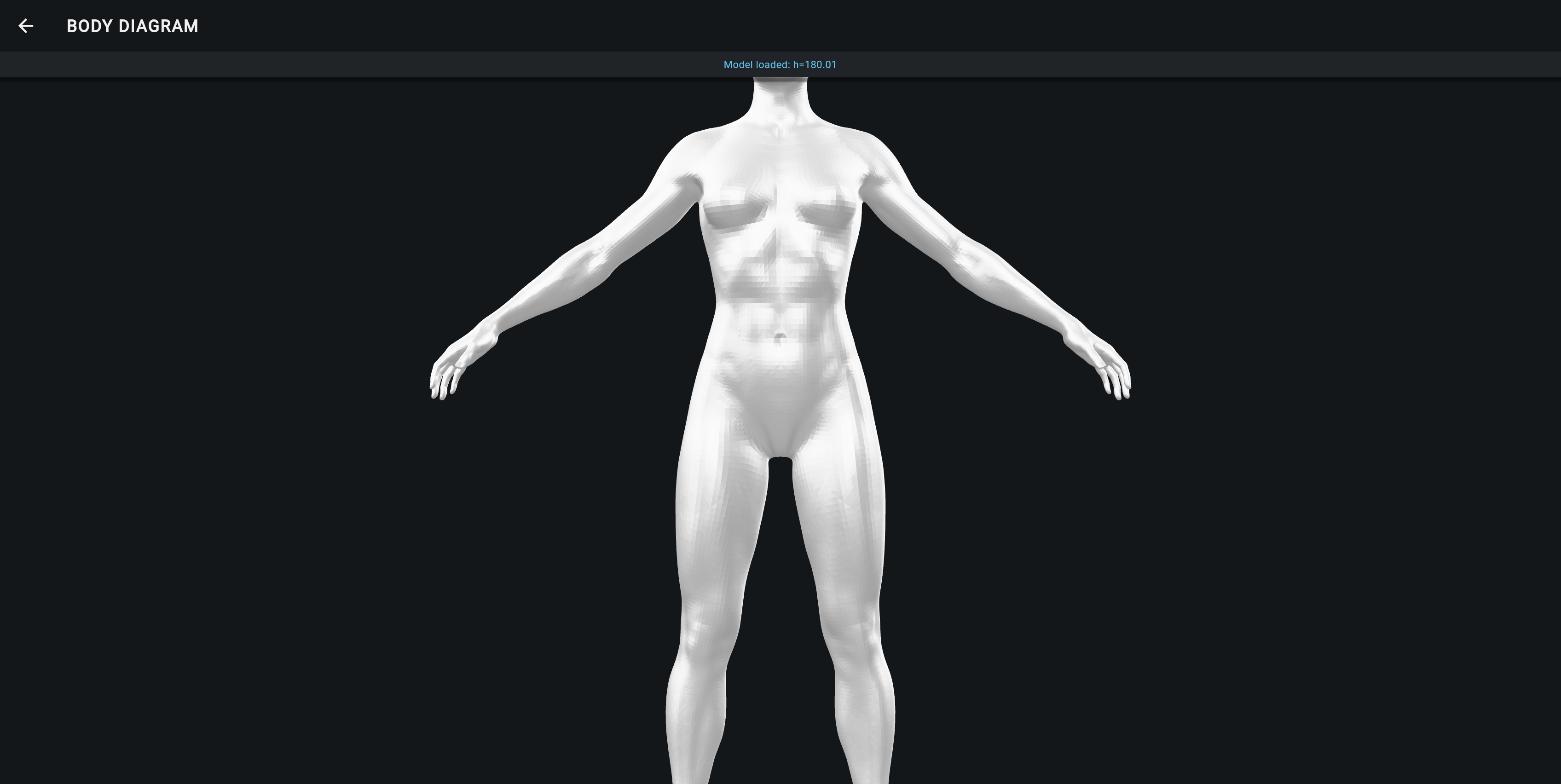
Wounds mapped on a rotatable 3D body
- Tap the model to place a wound. The app resolves the anatomical region automatically, including left versus right and front versus back.
- Wound type in one tap: gunshot, blast, laceration, burn, amputation, penetrating, abrasion.
- Markers persist in 3D, color-coded by severity, and flow onto the card and the exported record.
- A 2D silhouette fallback covers devices without 3D support.
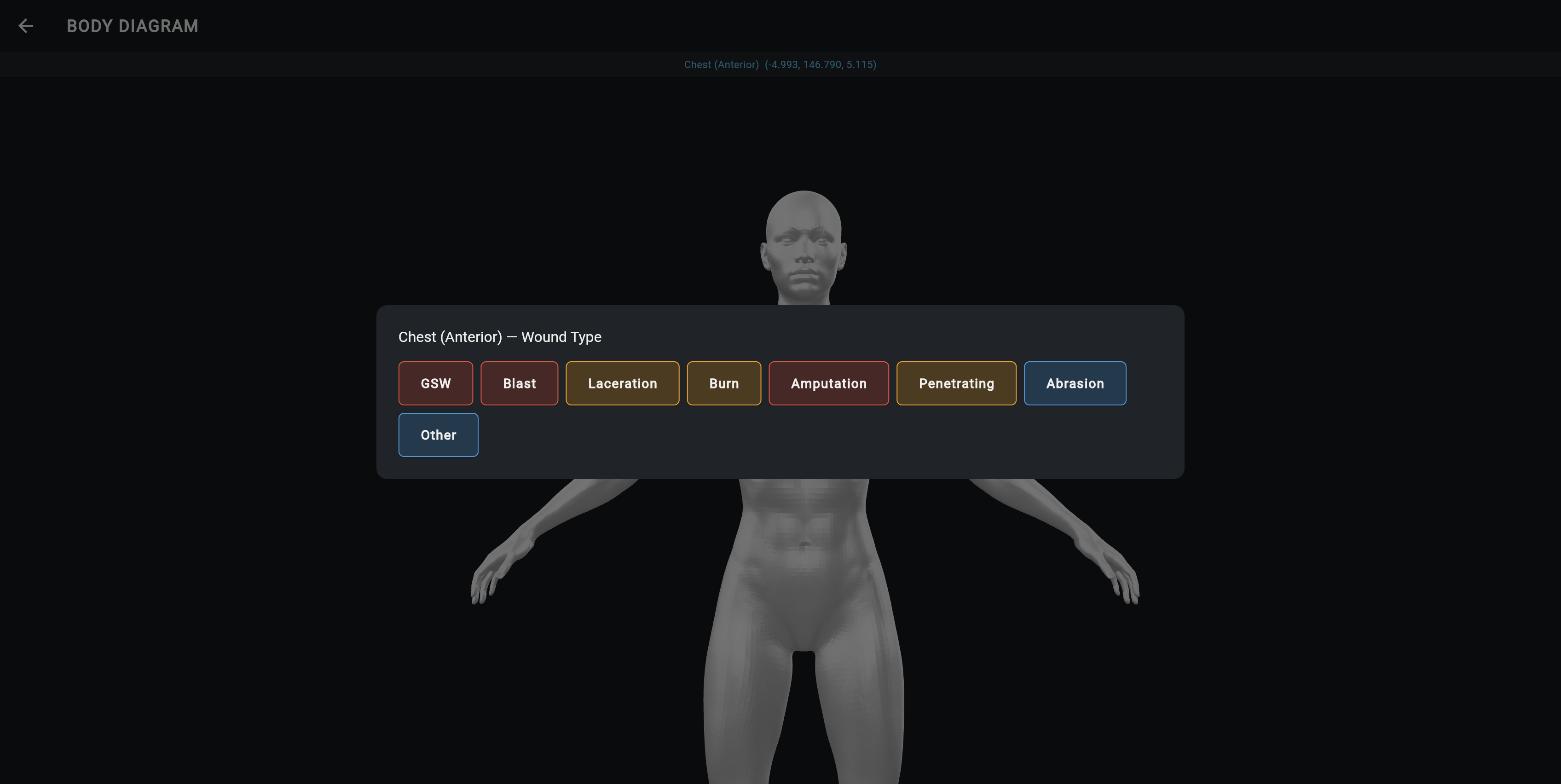
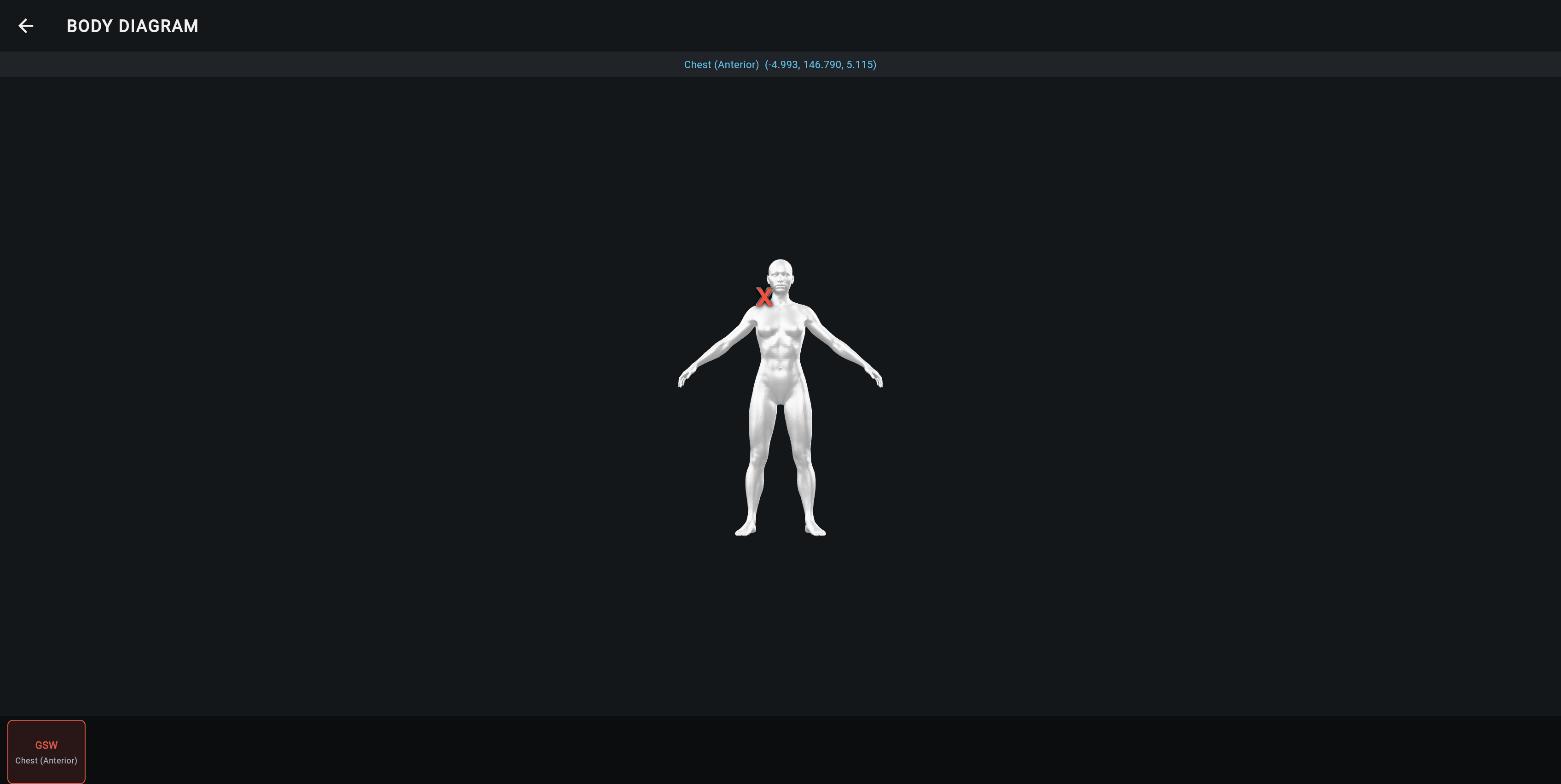
Region auto-detected as chest, anterior; gunshot marker placed and tracked
KwikDOKUnclassified
Feature · Guided Assessment
MARCH with doctrine on screen
- Guided steps through massive hemorrhage, airway, respiration, circulation, head and hypothermia, each with if-then guidance.
- Interventions logged inside the flow. A tourniquet logged at the hemorrhage step starts its timer and updates the evacuation advisor immediately.
- Guidance is current. The airway step reflects the May 2026 removal of supraglottic airways from tactical field care.
- Each completed step is timestamped and rolls up as a summary strip on the card.
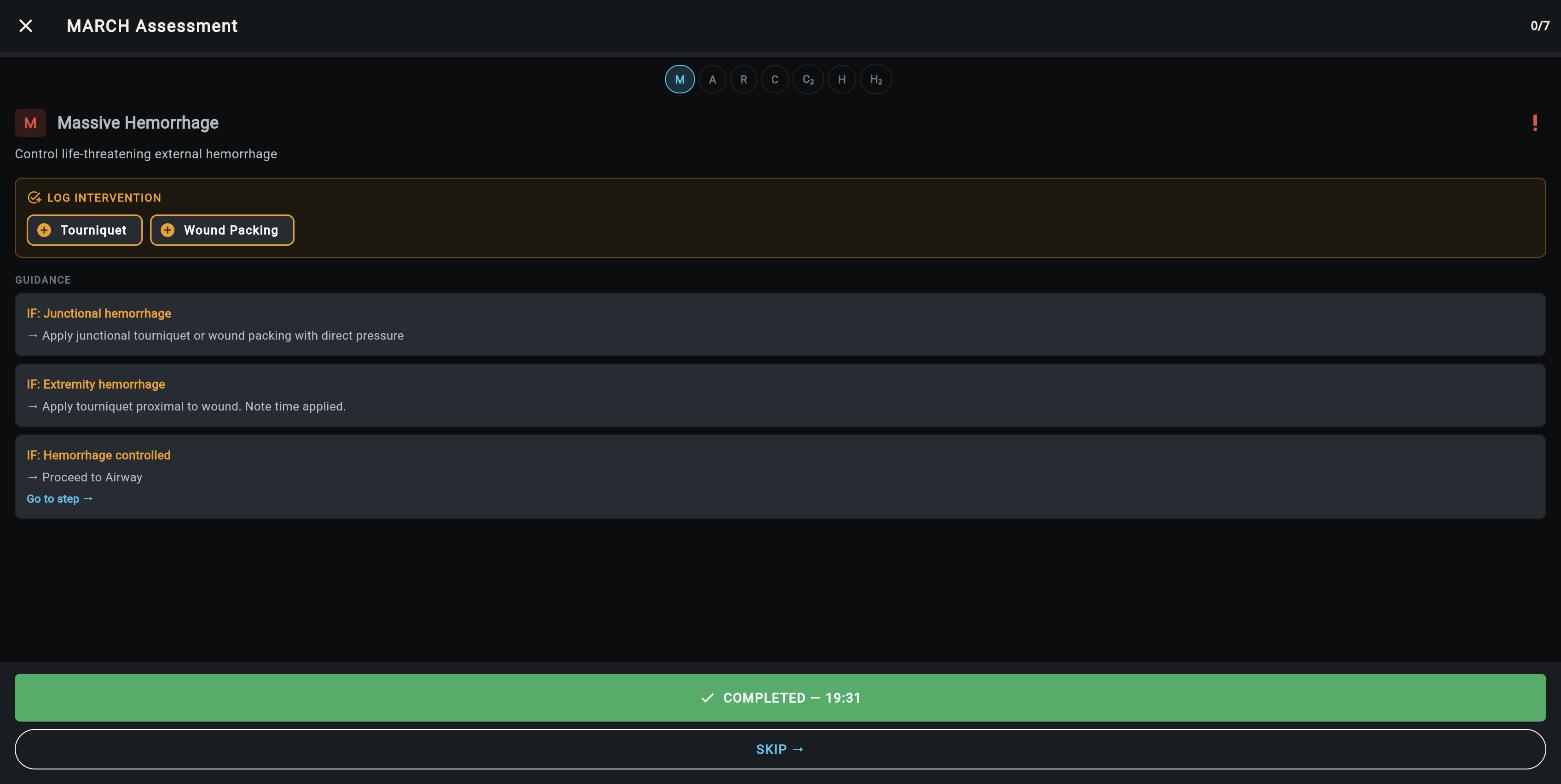
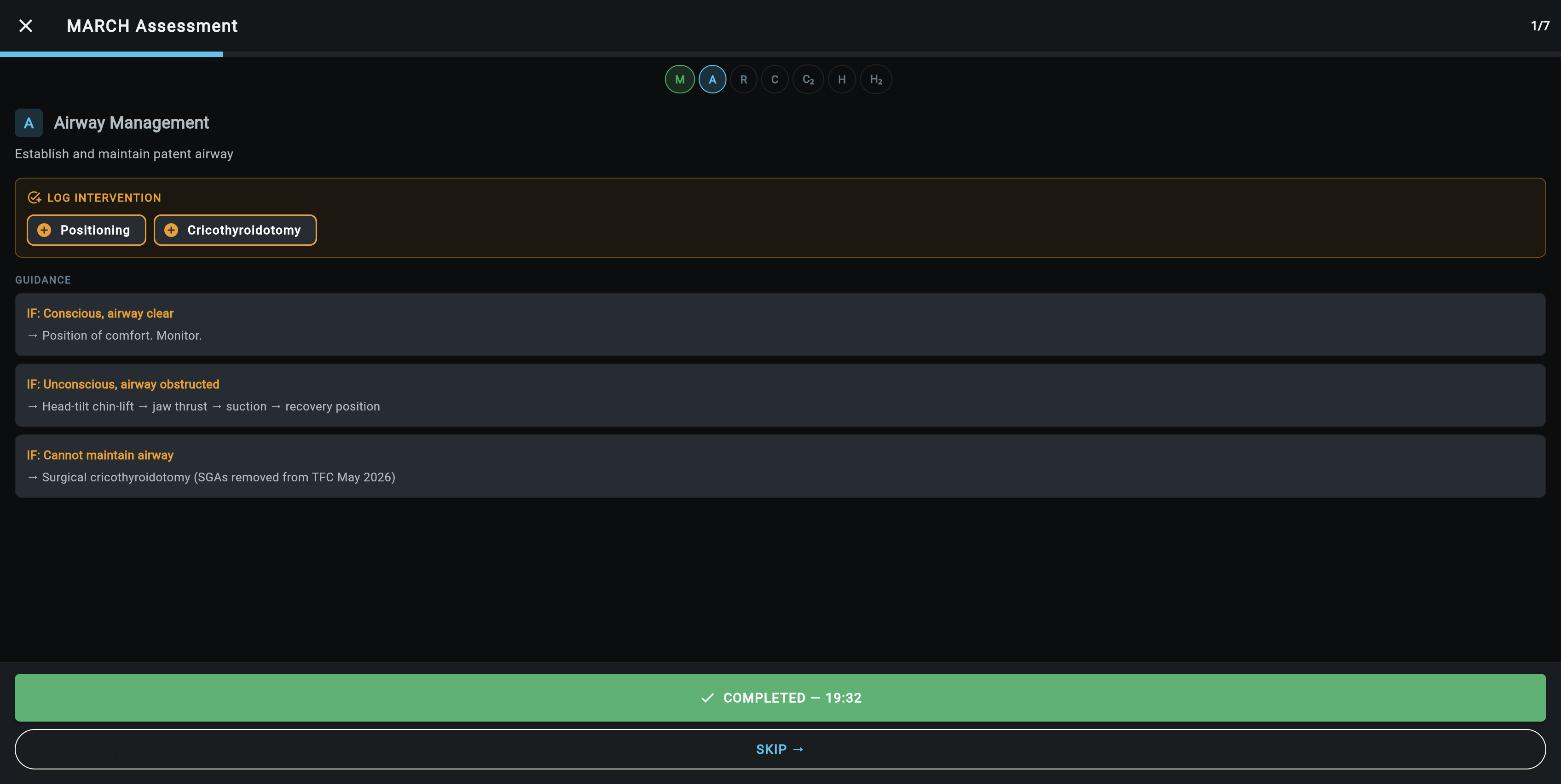
Hemorrhage and airway steps with intervention logging and clinical guidance
KwikDOKUnclassified
Feature · Decision Support
The record drives the recommendations
- Evacuation advisor. Active tourniquet, surgical airway, low blood pressure, or depressed consciousness each map to a precedence recommendation with the reason shown. In this demo it moved to urgent surgical the moment a tourniquet was logged.
- Calculators where the data already is. Glasgow Coma Scale scoring saves directly to vitals. Burn interventions surface the Rule of 10 fluid calculation pre-filled with patient weight. Blood product dosing works the same way.
- Vitals with thresholds. The vitals grid colors out-of-range values and computes mean arterial pressure and shock index.
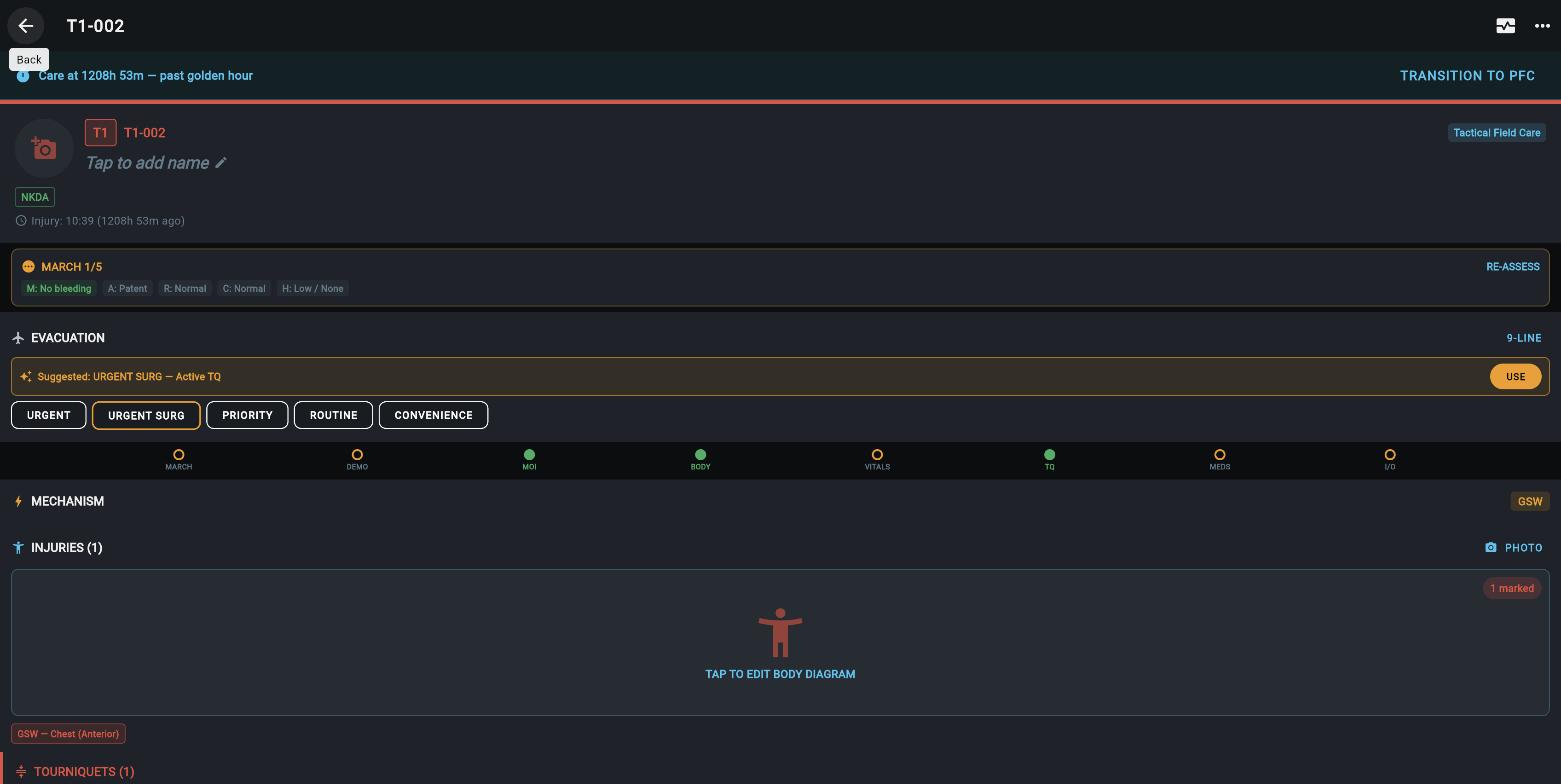
After the assessment: MARCH summary chips, injuries and tourniquet tracked, advisor updated to urgent surgical
KwikDOKUnclassified
Feature · Generated Documents
One casualty, eight documents, entered once
- Everything the record produces lives on one screen, grouped by phase of care.
- Tactical phase: the mechanism-injuries-signs-treatment report, a pre-populated 9-line medical evacuation request, the DD Form 1380 casualty card as a printable export, and the 30-to-60-second patient turnover script.
- Prolonged care phase: the windowed flowsheet, and the Joint Trauma System casualty card v25 in three forms, an interactive in-app card, the printable hospital-handoff layout matching the 8 July 2023 release, and an editable spreadsheet.
- All filled from the record. The 9-line carries the evacuation advisor's precedence; the cards carry the vitals, interventions, and tourniquet times already logged. Nothing is entered twice for these documents.
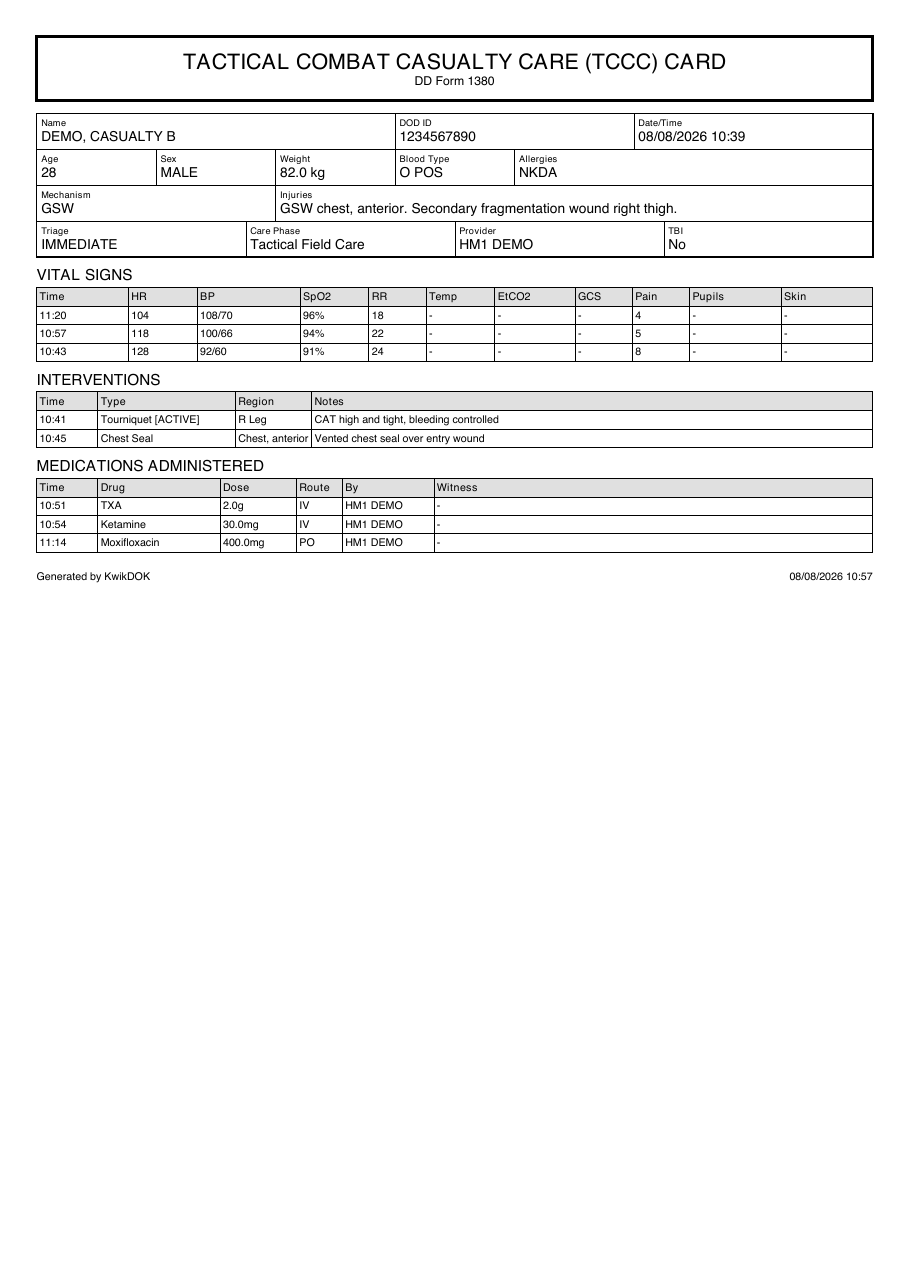
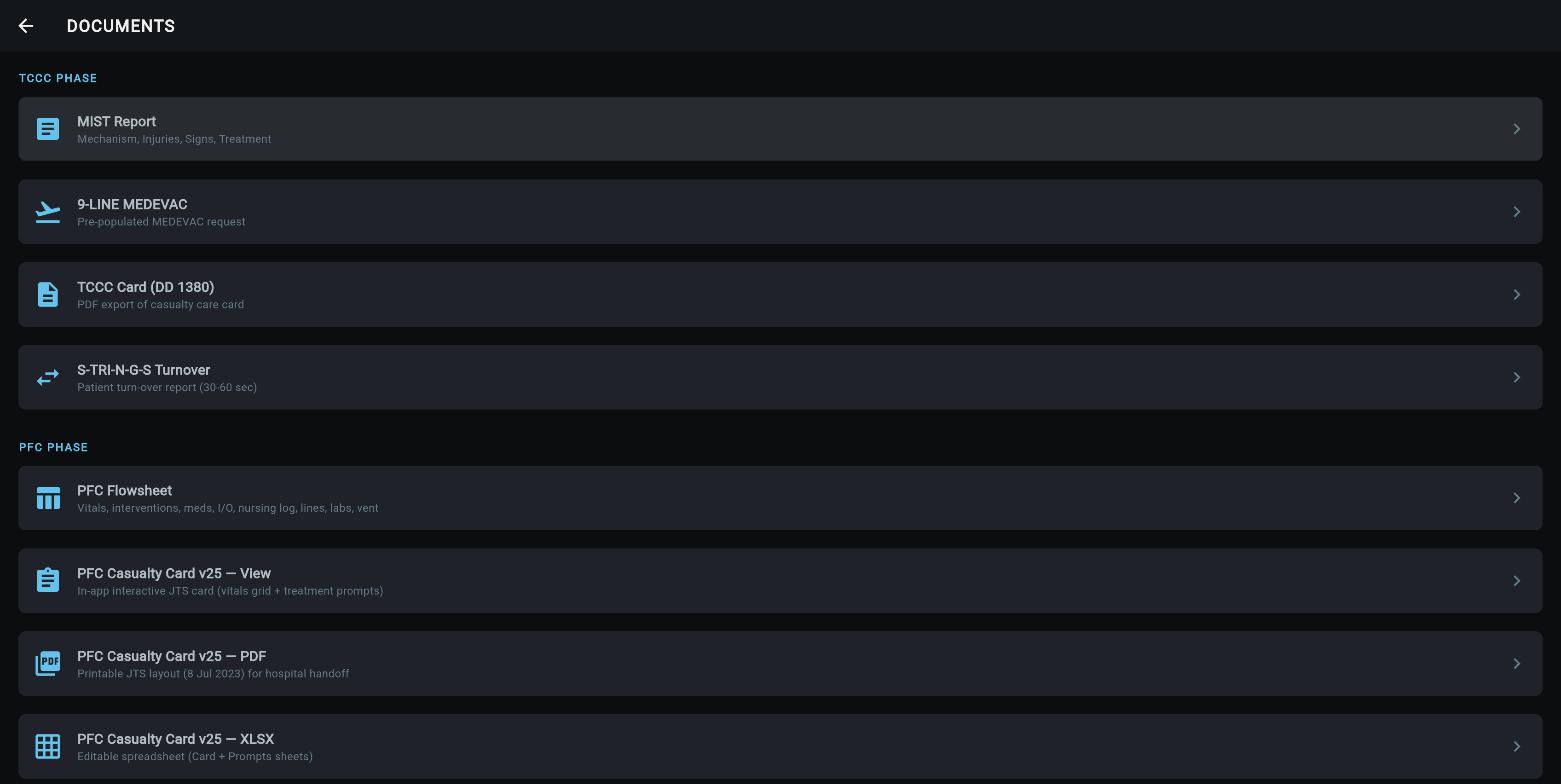
A generated DD Form 1380 for the demo gunshot casualty, and the documents screen it comes from
KwikDOKUnclassified
Feature · Team and Network
Shared record, degraded-network tolerant
- Multi-medic sync. Every device at the casualty collection point sees the same record within about a second, over a shared backend.
- Works alone on mobile. Mobile builds run fully offline; the web instance requires connectivity to sign in.
- Wound and ultrasound photos attach to the record with access control.
- Tactical awareness feed. Patient status publishes to the tactical picture so command sees casualty load without calling the medic.
- Physical tag path. Near-field tags as durable casualty cards: tap the tag, load the record. Prototyped, production supplier identified.
The record follows the casualty, not the device
KwikDOKUnclassified
Feature · Sidebar Toolbox
Every tool the medic reaches for, one drawer
- Organized by how it is used: Mission, Clinical Workflows, Resources, Doctrine, Training, and Archive sections.
- Twelve working tools sit behind the patient record: triage intake, guided assessment, dosing, nursing care, handoff, structured pauses, pharmacy stock, blood donors, provider capabilities, and the guideline library.
- Everything is reachable one-handed from any screen; the drawer is the only navigation the medic has to remember.
- The next two slides walk the tools one by one.
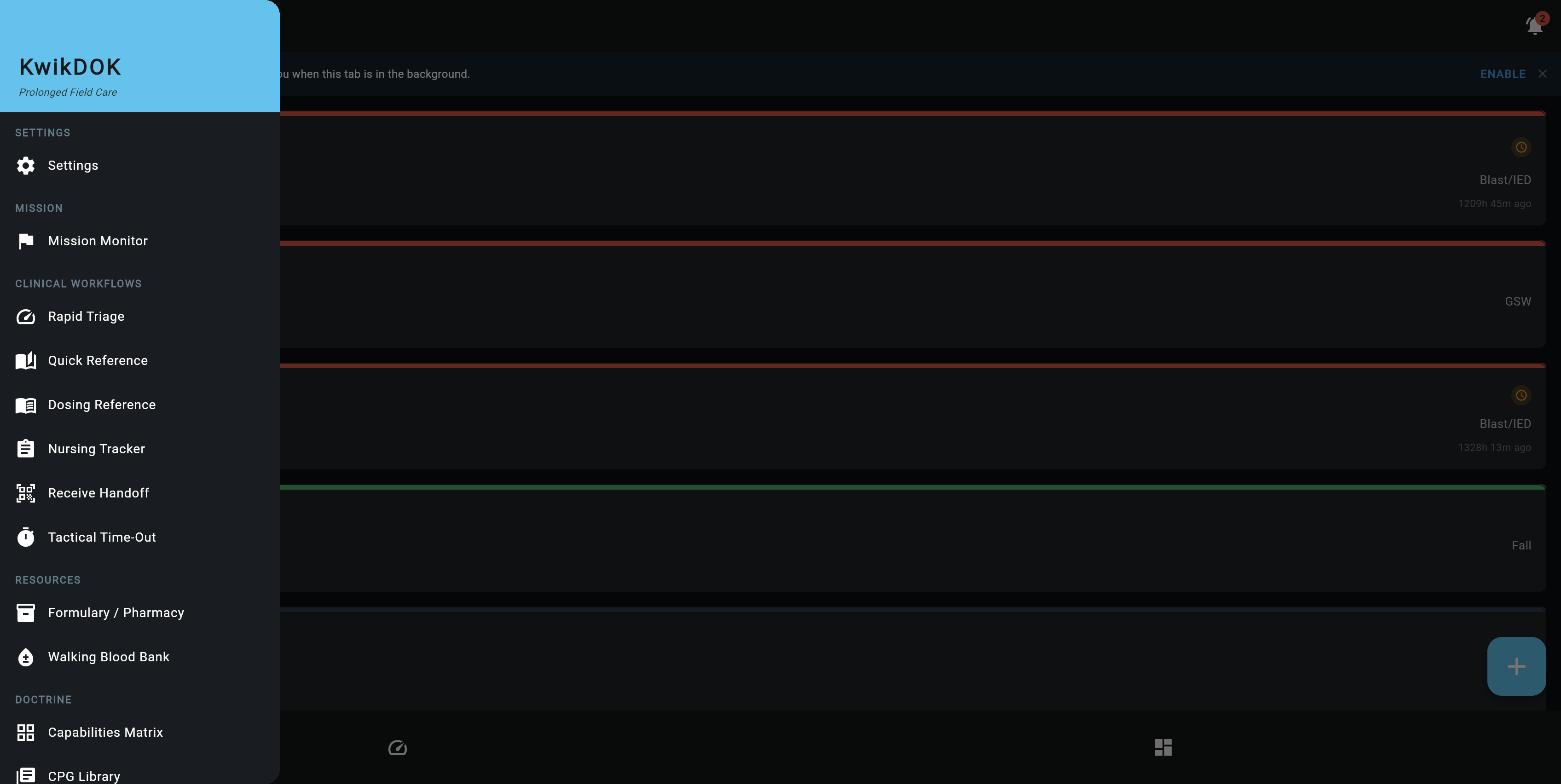
The sidebar: mission, clinical workflows, resources, and doctrine in one place
KwikDOKUnclassified
Sidebar · Triage and Nursing
Rapid Triage and the Nursing Tracker
- Rapid Triage is an algorithm, not a form. Pick the mechanism, then answer the sorting questions, can the casualty walk, is the casualty breathing, on buttons sized for gloves in the dark. Category assigned, casualty numbered, on the board in seconds.
- Built for mass casualty. Photo and name capture are skippable; sorting a line of casualties never waits on paperwork.
- The Nursing Tracker turns prolonged care into a schedule. Task templates from the Joint Trauma System reminders: vitals, intake and output, pain and sedation, airway checks, skin and positioning, lines, battery and resupply.
- Critical patients tighten the clock. Each task carries routine and critical frequencies; an immediate-category patient escalates automatically. Every completion is time-logged into the flowsheet.
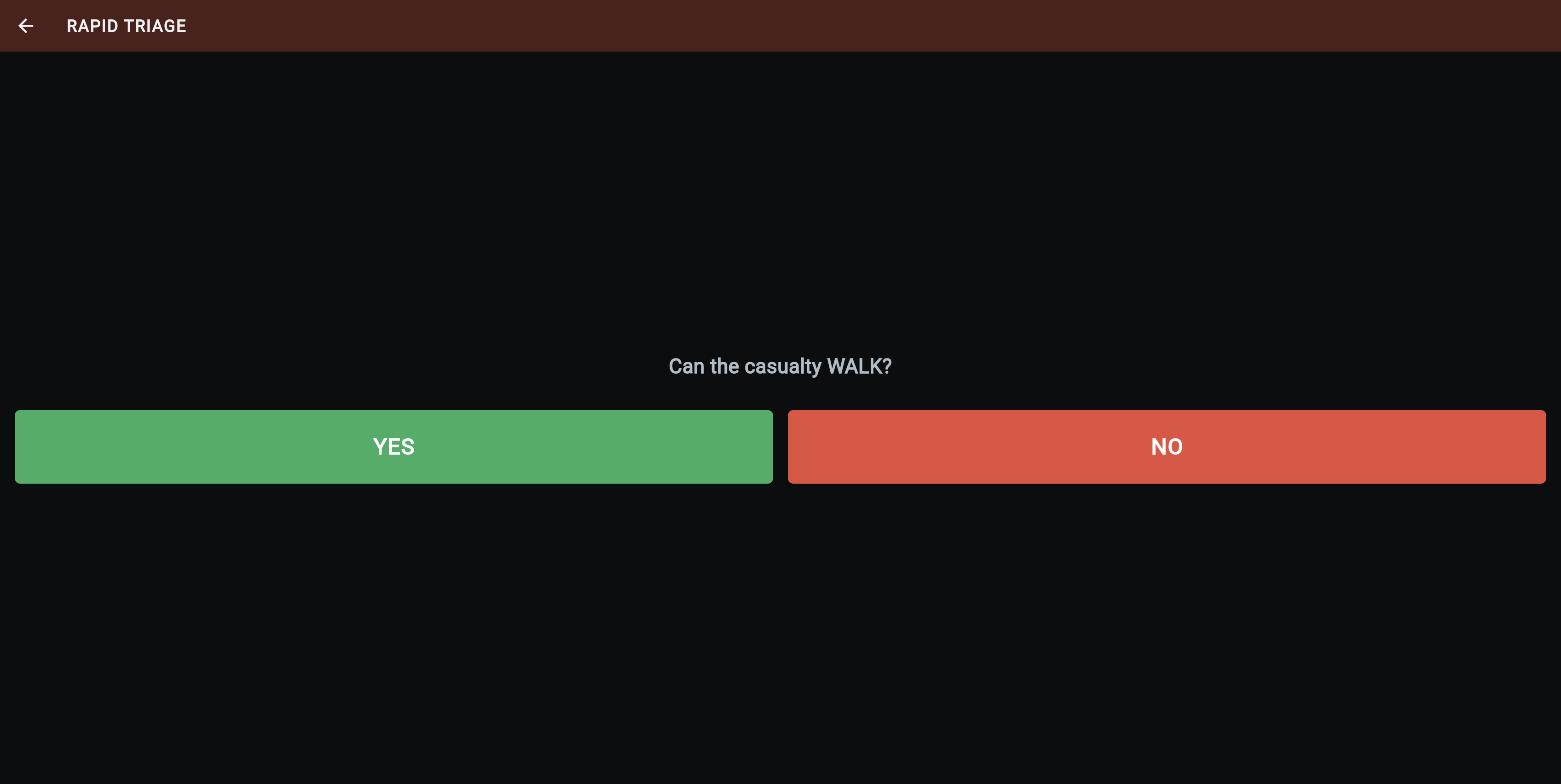
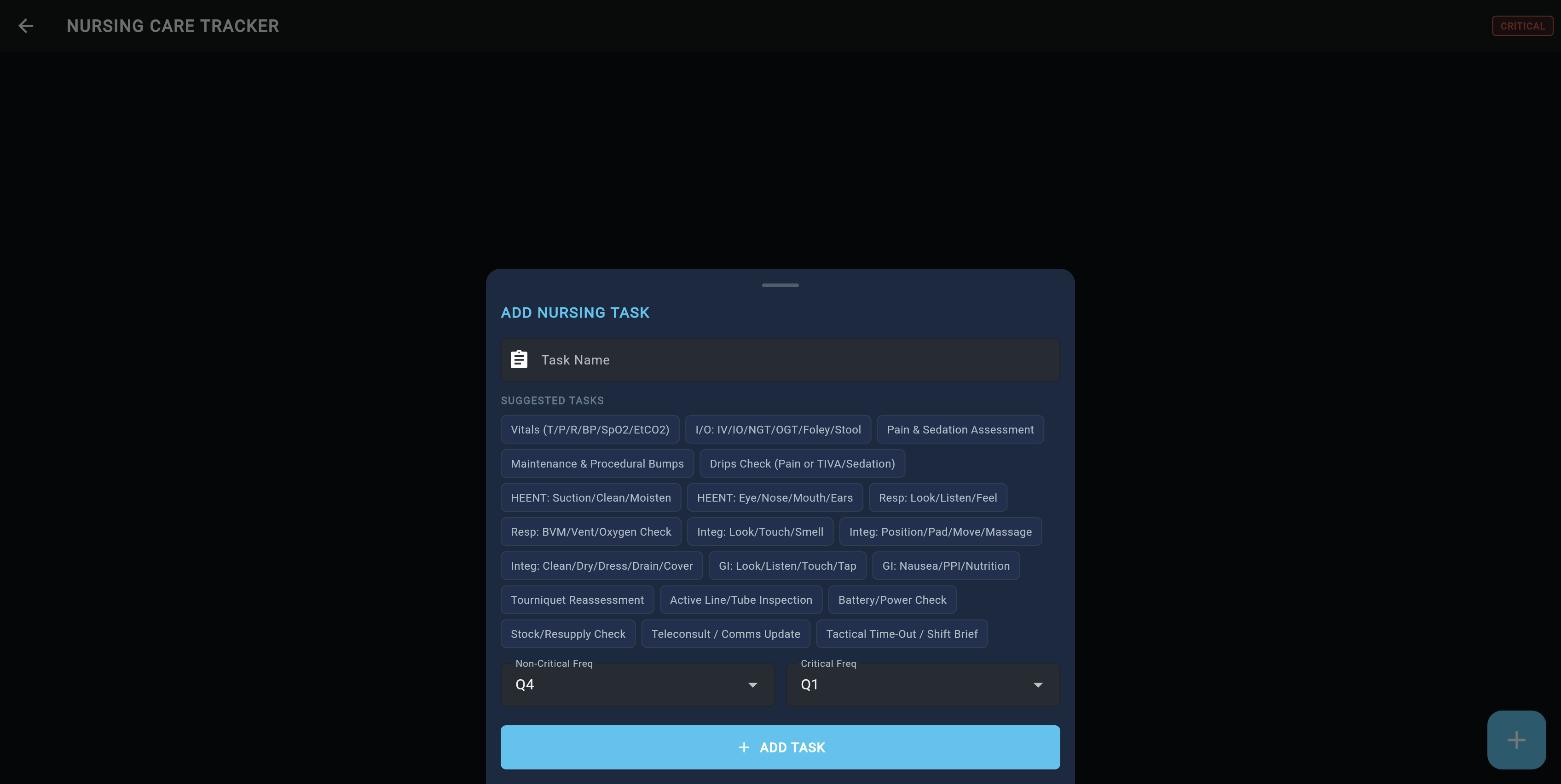
Triage sorting question; nursing task sheet with the doctrine task set and routine-versus-critical frequencies
KwikDOKUnclassified
Feature · Dosing Reference
Drug doses with the safety rails attached
- Filter by class: analgesic, antibiotic, sedative, paralytic, vasopressor, anticoagulant, blood product, fluid.
- Each card is a complete order: route, dose, frequency, and the indication it belongs to.
- Preparation warnings in red where they save lives, such as ceftriaxone never reconstituted in calcium-containing solutions.
- Stability chips for heat, cold, and light, the storage reality of an austere aid bag.
- Hard caps shown, like the 4-gram daily acetaminophen ceiling across all sources.
- The same entries surface inside patient care: logging a burn dressing or blood product opens the matching calculator pre-filled with patient weight.
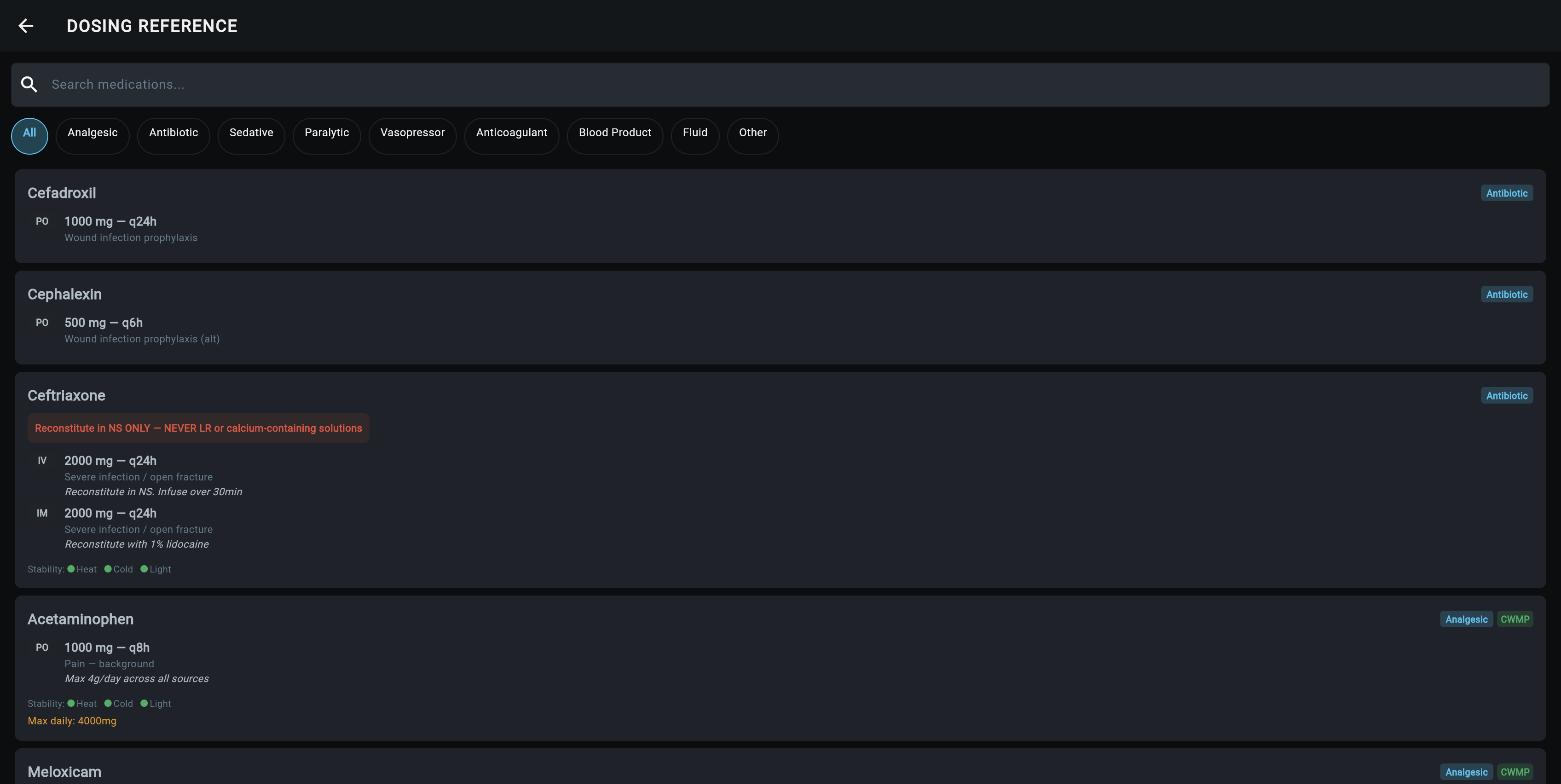
Dosing reference: class filters, complete orders, preparation and stability warnings
KwikDOKUnclassified
Walkthrough
Gunshot casualty, injury to advisor update
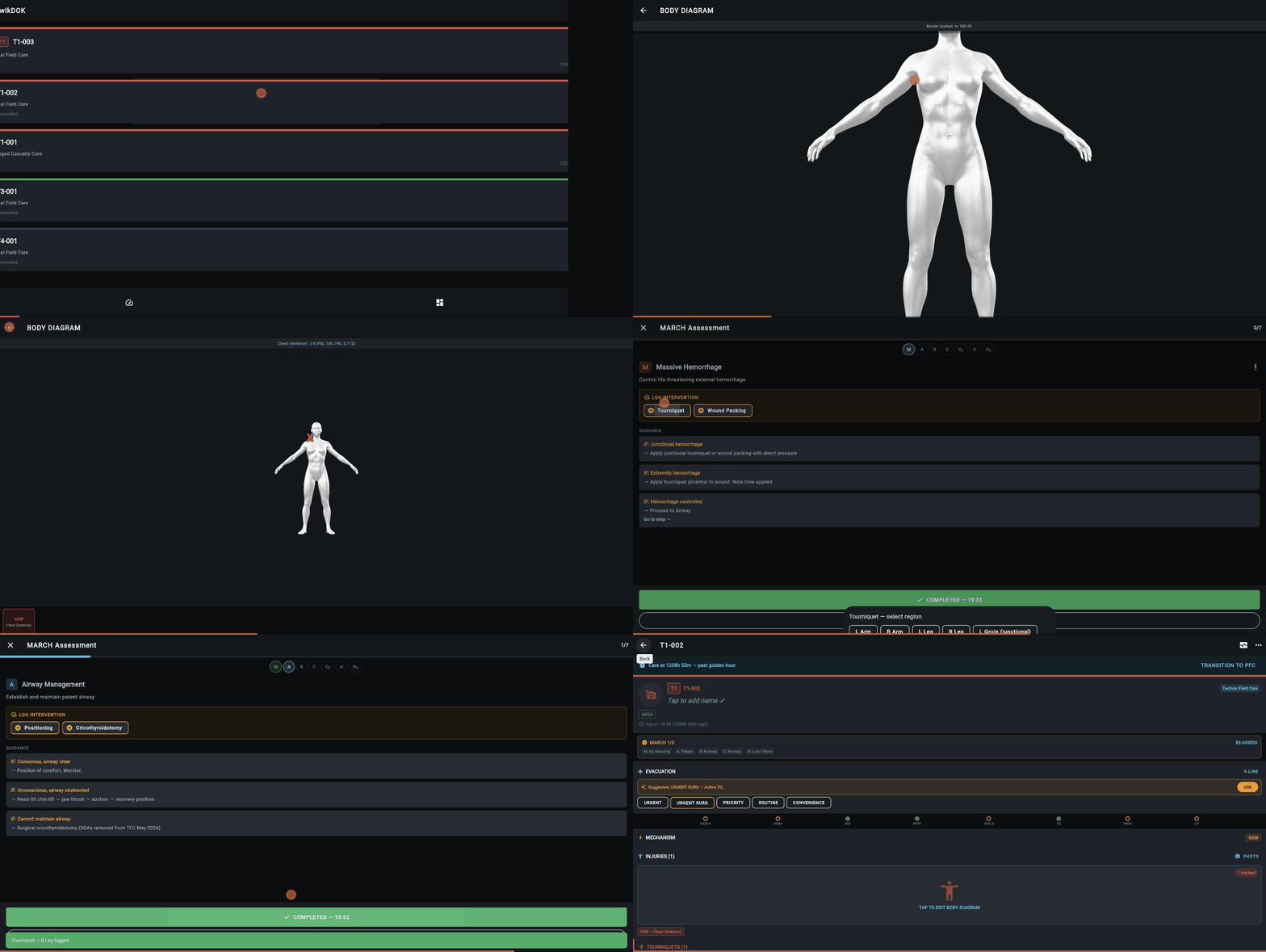
Recorded against the demonstration instance: dashboard, casualty card, 3D wound mapping, guided MARCH with tourniquet, advisor escalation
KwikDOKUnclassified